About PassForge
Stop using weak passwords like "Password123" or reusing the same password across multiple sites. PassForge generates cryptographically secure passwords that are virtually impossible to crack, protecting your online accounts from hackers and data breaches.
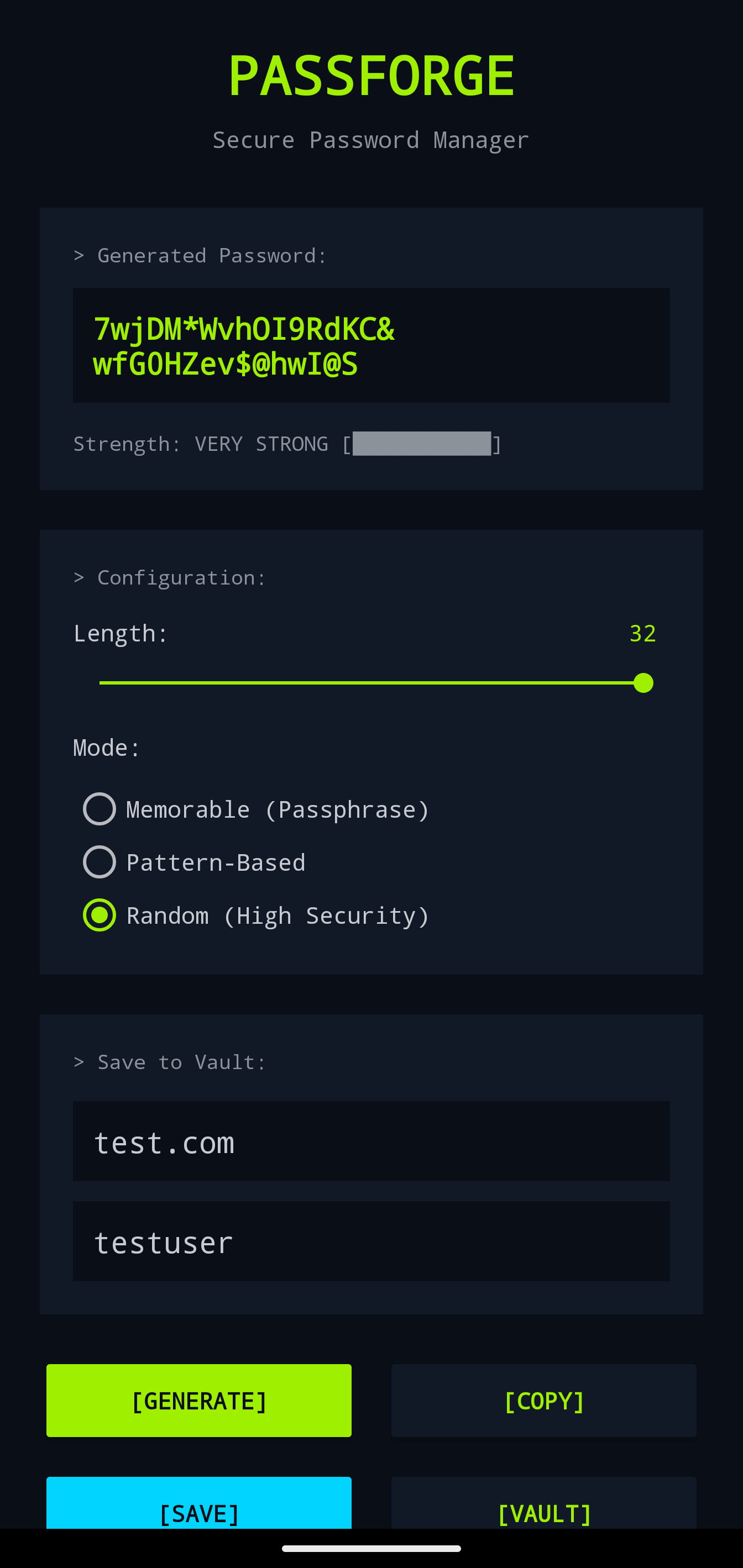
With PassForge, creating strong, unique passwords for every account is effortless. Customize password length, include or exclude numbers, symbols, uppercase and lowercase letters, and even avoid ambiguous characters that look similar. The app uses secure random number generation to ensure maximum entropy and unpredictability.
Perfect for security-conscious users, IT professionals, and anyone who wants to protect their digital identity. One tap generates a new password, one tap copies it to your clipboard - it's that simple. Never compromise on security again.
✨ Key Features
Cryptographic Security
Uses SecureRandom for cryptographically strong password generation with maximum entropy and unpredictability.
Full Customization
Control password length (4-64 characters), toggle uppercase, lowercase, numbers, and symbols independently.
Visual Strength Meter
Real-time password strength indicator shows weak, medium, strong, or very strong ratings with color coding.
One-Tap Copy
Instantly copy generated passwords to clipboard for easy pasting into websites and apps.
Avoid Ambiguous Characters
Optional setting to exclude lookalike characters (0/O, 1/I/l) for passwords that must be typed manually.
Clean Material Design
Beautiful, intuitive interface following Material Design 3 guidelines for effortless password generation.
📱 How to Install
- Purchase: Click "Buy Now" above to complete your secure purchase via Stripe
- Download: After payment, you'll receive an instant download link for the APK file
- Enable Installation: Go to Settings → Security → Enable "Install from Unknown Sources"
- Install: Tap the downloaded APK file and follow the on-screen prompts
- Launch: Find PassForge in your app drawer and start generating secure passwords!
Note: You may see a Google Play Protect warning. This is normal for apps not from the Play Store. PassForge is safe and developed by Forward Forging.