About PixelForge
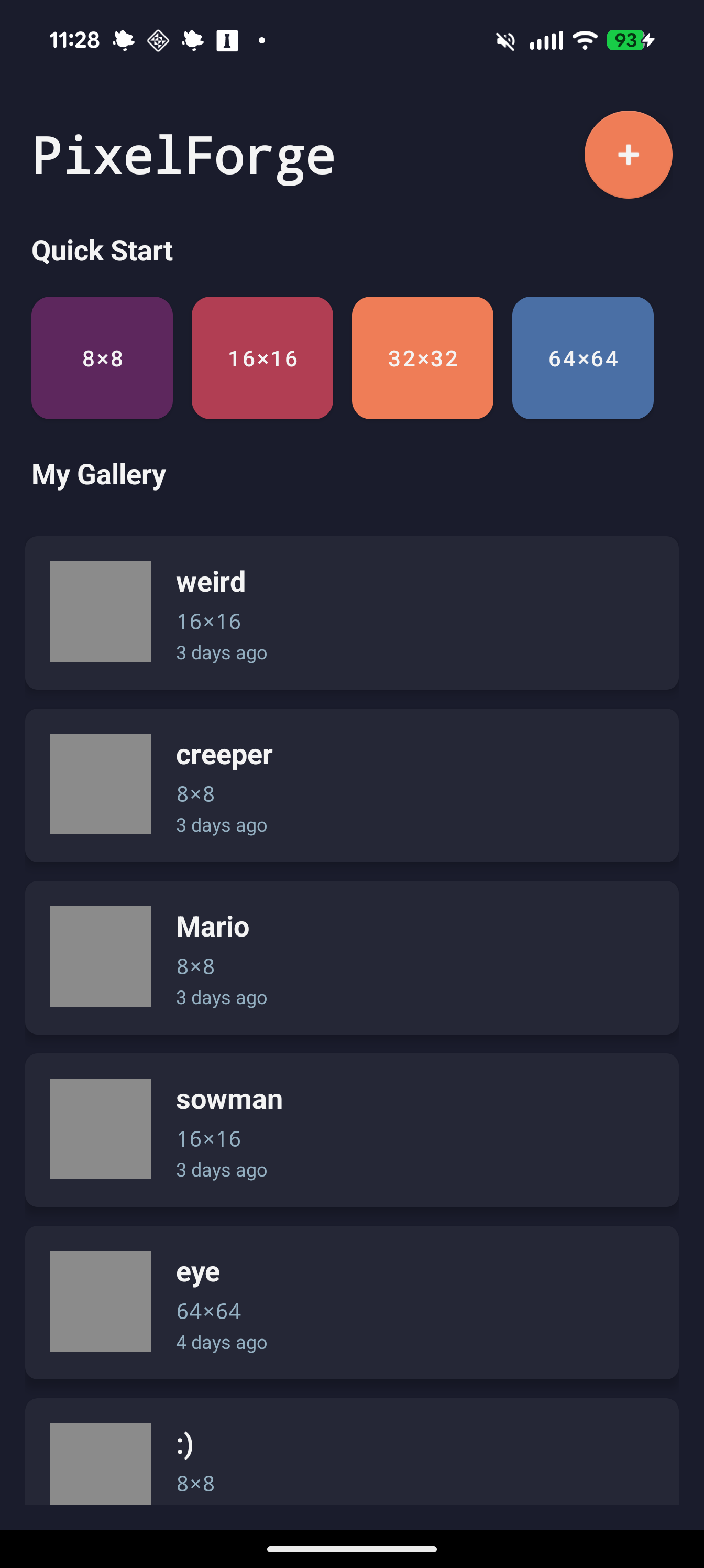
Unleash your creativity with PixelForge, the powerful yet easy-to-use pixel art editor for creating retro-style graphics. Whether you're designing game sprites, icons, or digital art, PixelForge provides all the tools you need.
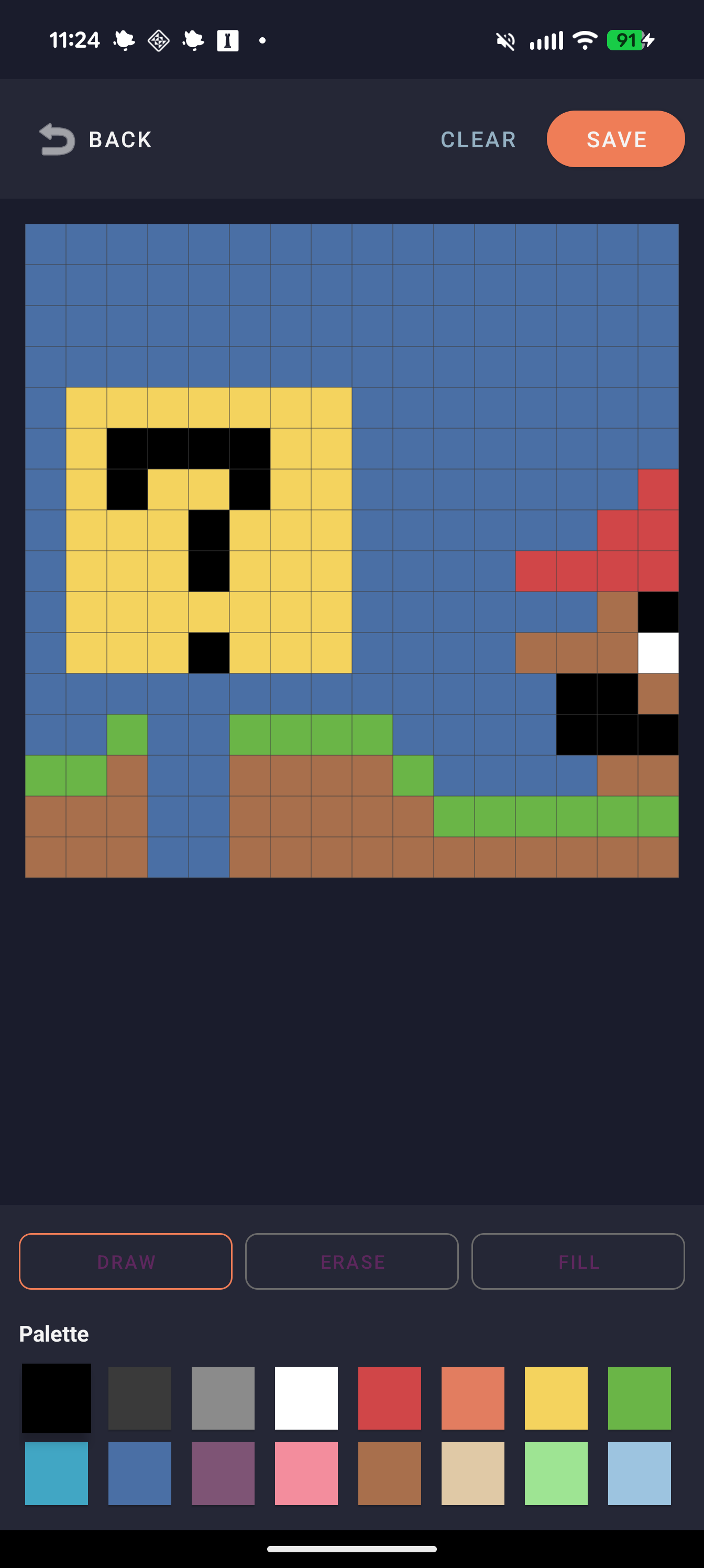
Features an intuitive grid-based canvas, color palette management, layers support, and export options for your creations. Perfect for game developers, digital artists, and pixel art enthusiasts.
Create everything from simple 16x16 icons to complex animated sprite sheets with professional-grade pixel art tools.
✨ Key Features
Grid Editor
Precise pixel-by-pixel editing with customizable canvas sizes from 8x8 to 256x256.
Color Palettes
Built-in color palettes plus custom palette creation with hex color support.
Drawing Tools
Pencil, line, rectangle, circle, fill bucket, and eyedropper tools for efficient creation.
Export Options
Export your pixel art as PNG with transparency support at any scale.
📱 How to Install
- Purchase: Click "Buy Now" above to complete your secure purchase via Stripe
- Download: After payment, you'll receive an instant download link for the APK file
- Enable Installation: Go to Settings → Security → Enable "Install from Unknown Sources"
- Install: Tap the downloaded APK file and follow the on-screen prompts
- Launch: Find PixelForge in your app drawer and start using it!
Note: You may see a Google Play Protect warning. This is normal for apps not from the Play Store. PixelForge is safe and developed by Forward Forging.